
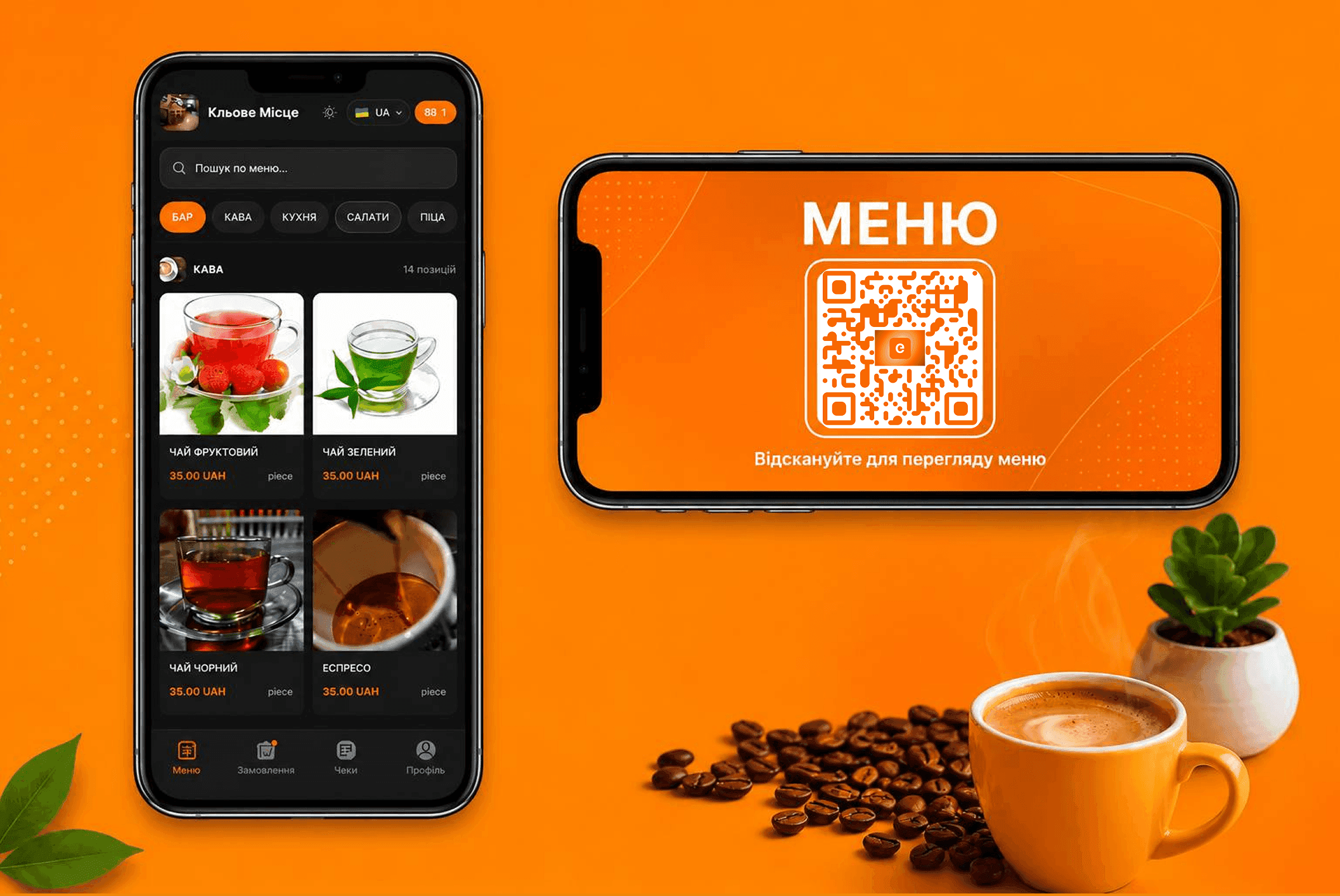
Many establishments today use QR codes, but in most cases they are only links to a PDF file or a static image of a menu. Such a solution does not allow customers to place orders, does not update automatically, and does not integrate with the POS system.
GOOVII QR Menu is a complete digital ordering tool that works within a single ecosystem together with the POS system, establishment management, and business automation solutions. All changes are made in one place and instantly synchronized between the admin cabinet, customers, and the cash register.
Not a PDF, but an interactive menu with ordering capabilities
After scanning the QR code, the customer opens a modern web menu where they can not only view dishes and drinks but also place an order independently without waiting for a waiter.
GOOVII QR Menu includes:
- up-to-date catalog of dishes and beverages;
- categories and subcategories;
- product photos;
- current prices;
- menu search;
- multiple interface languages;
- adding products to the cart;
- order comments;
- placing orders without staff assistance.
Everything works directly in the browser without installing a mobile application.
Instant synchronization with the POS system
The main advantage of GOOVII QR Menu is that it uses the same database as the POS system. If an administrator changes a price, hides a product, or adds a new category, the updates immediately become available to guests.
There is no need to recreate PDF files, print new menus, or manually inform employees about changes.
Menu management in a few clicks
Through the admin cabinet, you can fully control how the menu is displayed to customers.
- hide individual products;
- temporarily disable unavailable items;
- manage categories and subcategories;
- configure the visibility of each product;
- create special offers and recommended items.
For example, if a particular dish is no longer available, simply disable it in the admin cabinet — it will immediately disappear from the QR Menu for all visitors.
Orders automatically arrive in GOOVII POS
After a customer places an order, all information is instantly transferred to GOOVII POS.
Employees receive complete order details:
- table number;
- list of products;
- quantity of items;
- order amount;
- customer comment;
- creation time.
The employee can accept or reject the order. After confirmation, the system automatically creates a receipt and links it to the corresponding table.
Additional orders without calling a waiter
One of the most useful features of GOOVII QR Menu is support for additional orders.
While the receipt is still open, guests can reopen the menu, add new dishes or drinks, and send another order.
After confirmation by staff, new items are automatically added to the existing receipt without creating a new table or a new order.
Automatic table linking
Each table in the establishment has its own QR code.
After scanning, the system automatically identifies the guest's location and links all orders to the correct table.
This significantly reduces service errors, speeds up waiter operations, and allows accurate statistics for each table.
Fully branded QR codes
GOOVII allows you to create not just a standard black-and-white QR code, but fully customize it according to your establishment's style.
You can configure:
- QR code type;
- colors;
- corner elements;
- background;
- logo in the center;
- logo size and spacing.
After customization, the system automatically generates a separate QR code for each table and allows you to download them as a single PDF document.
Advantages of GOOVII QR Menu
- no application installation required;
- instant synchronization with POS;
- real-time menu updates;
- online ordering directly from a smartphone;
- automatic receipt creation;
- additional ordering to an open receipt;
- individual QR code for each table;
- flexible category and product management;
- special offers to increase sales;
- fully branded QR code design.
Conclusion
GOOVII QR Menu is not just an electronic menu or a PDF file with a list of dishes. It is a complete restaurant automation tool for restaurants, cafes, and other establishments that connects guests, employees, and the POS system into one unified ecosystem.
Thanks to automatic synchronization, online ordering, additional orders, product availability management, and POS integration, GOOVII helps improve service speed, reduce staff workload, and provide a better experience for every guest.